
Spin-to-win wheels
A spin-to-win wheel turns opting in into a game: the visitor enters their email, spins the wheel, and wins a code. The little hit of fun-and-chance makes people far more willing to hand over an email than a plain form does.
Settings
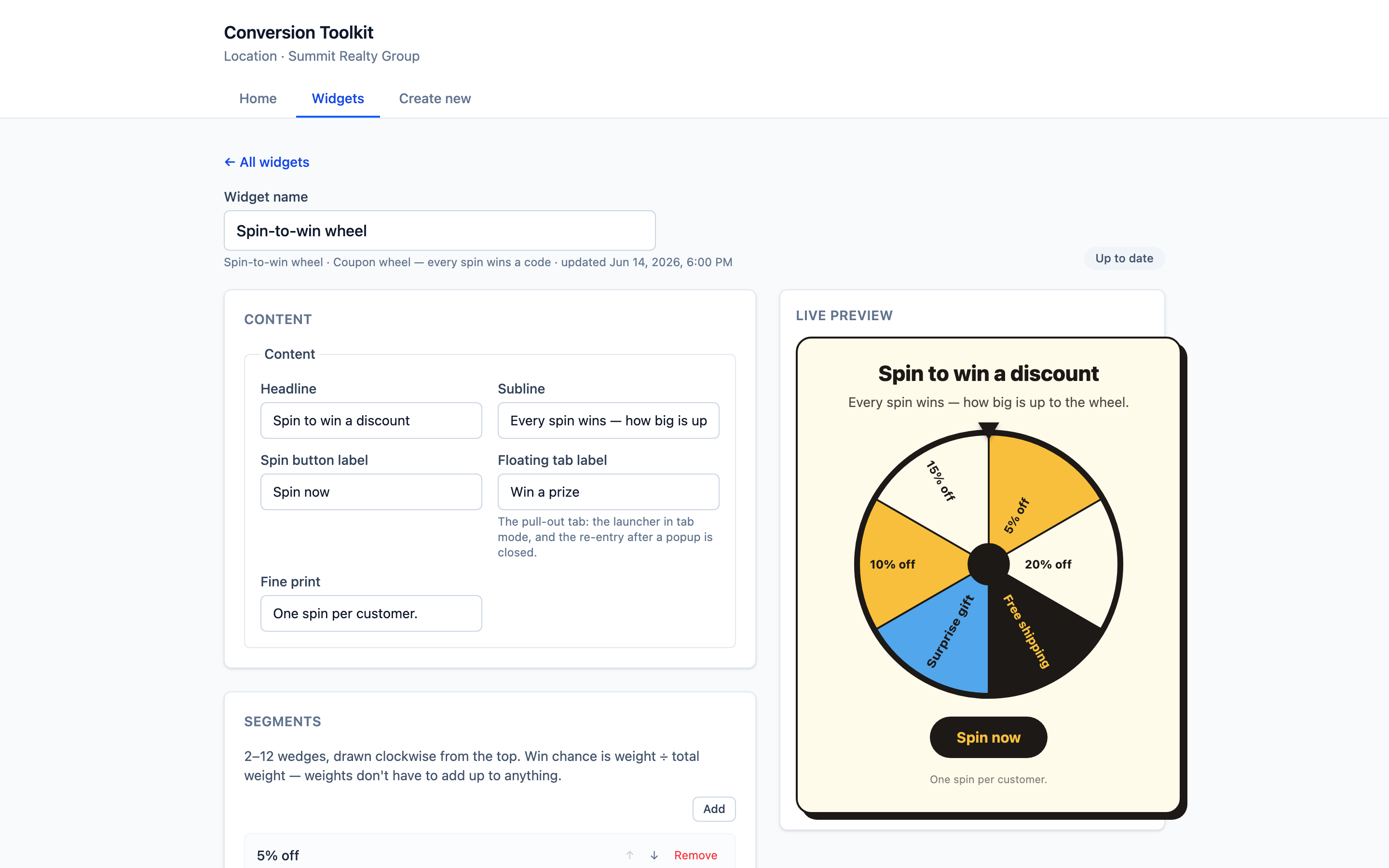
Content
| Field | What it’s for |
|---|---|
| Headline | The hook — e.g. “Spin to win a discount” |
| Subline | A supporting line — e.g. “Every spin wins — how big is up to the wheel” |
| Spin button label | The action — e.g. “Spin now” |
| Floating tab label | The text on the pull-out tab in Floating tab mode (the tab that launches the wheel). Popup and exit-intent modes don’t leave a tab. |
| Fine print | Small print under the wheel — e.g. “One spin per customer.” |
Segments (the prizes)
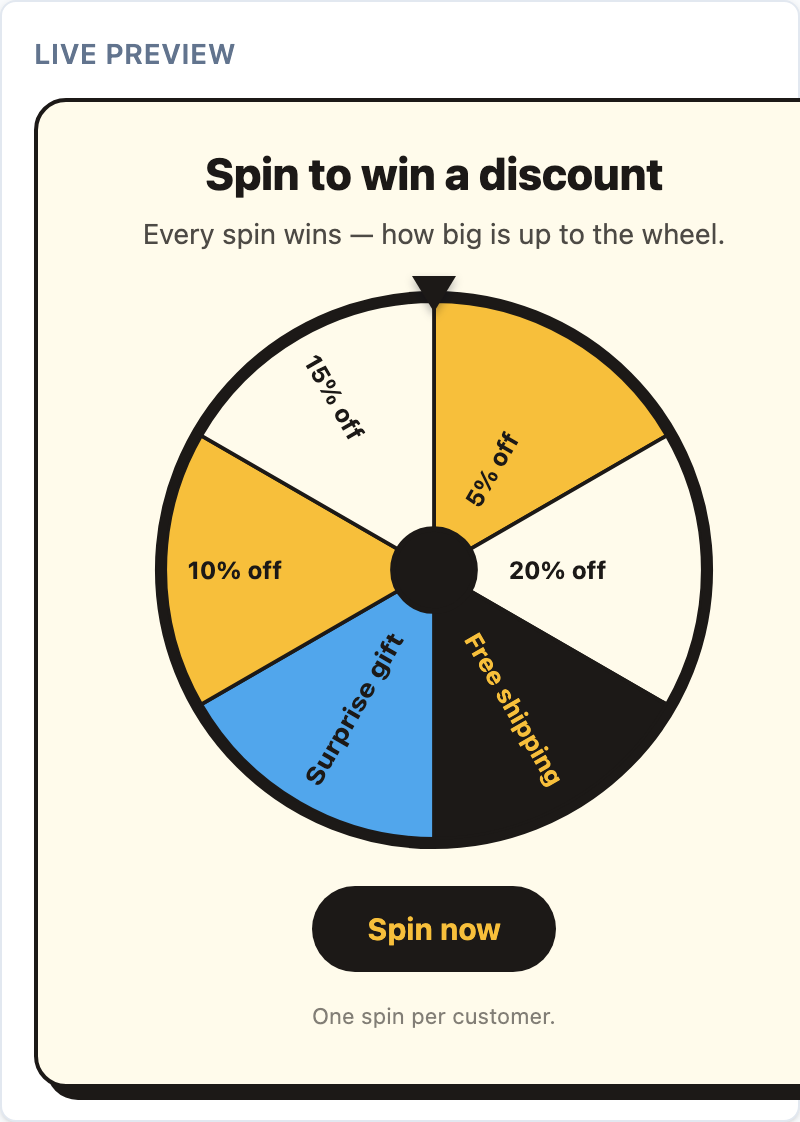
The wheel has 2–12 wedges, drawn clockwise from the top. Each segment has a label (e.g. “10% off”), a code, and a weight:
- Weight = win chance. A segment’s odds are its weight ÷ the total weight, so weights don’t have to add up to 100 — make the big prize a small weight and the common one a large weight.
Use Add / Remove to manage wedges.
Theme
Style it with a preset and overrides. Bright, high-energy looks like Bold pop suit the wheel.
Lead capture
The wheel captures the email to spin/reveal the code. On a win, the lead is tagged spinner-win
and the prize is saved to the contact’s note — ready to trigger a “claim your code” email in the platform. See
Lead capture and
Workflows & email campaigns.
What visitors see
When to use
- Ecommerce email capture — trade a first-order discount for a signup.
- Launches / promos where a bit of fun fits the brand.
- Any list-building moment where a plain form is underperforming.
Tips
- Make sure every prize is something you’re happy to honour — every spin wins.
- Keep the fine print honest (“one spin per customer”) to protect your margins.
[1] Omnisend, email popup statistics (1.24B displays), 2025.