
Social proof
Social-proof widgets show small, rotating “recent activity” notifications — “Mike R. claimed the spring offer” — that reassure visitors other people are already taking action. Placed near a form or buy button, they reduce hesitation at the exact moment someone is deciding.
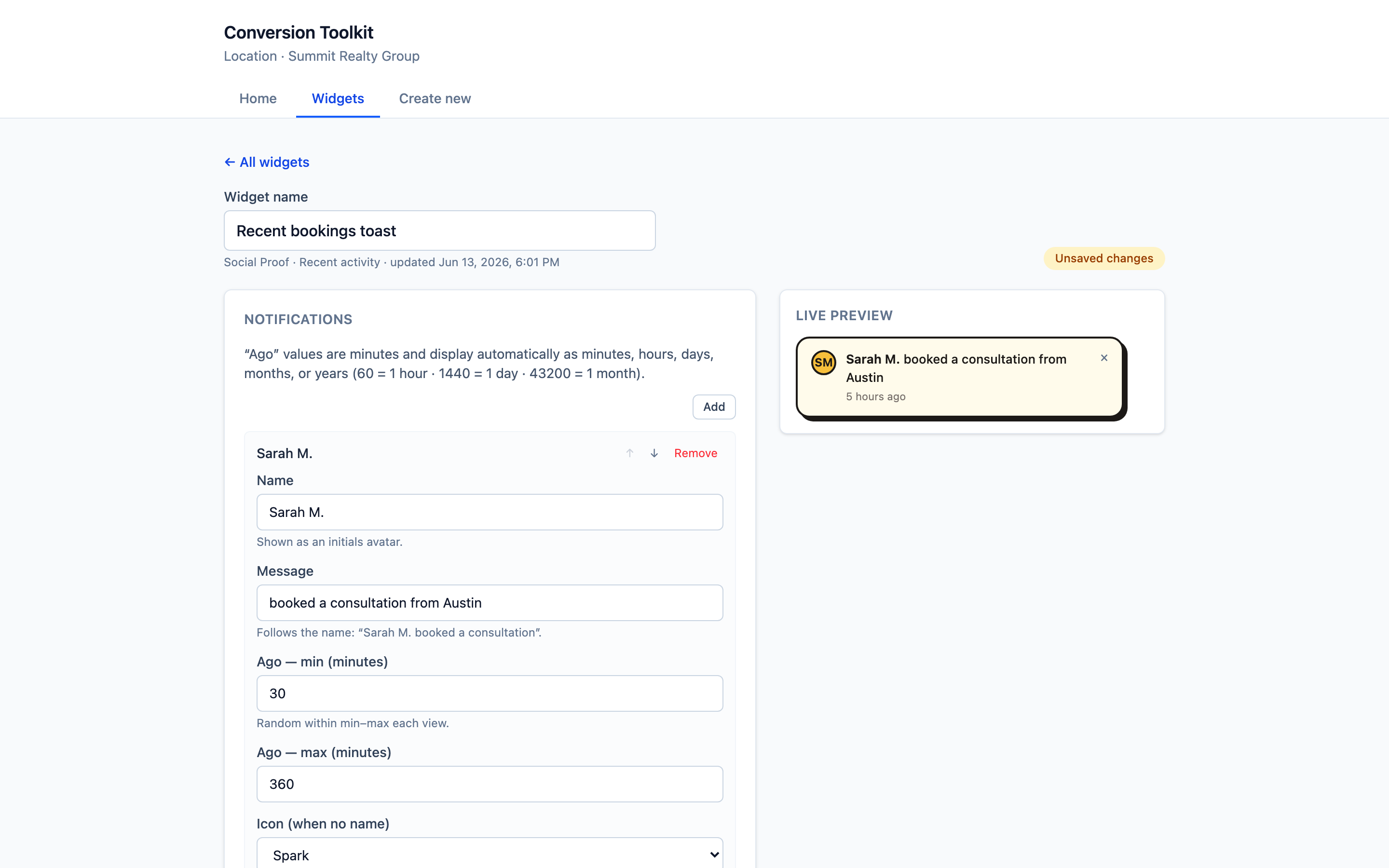
Settings
Notifications
You build a list of activity messages that rotate on the page. Each one has:
| Field | What it’s for |
|---|---|
| Name | Who took the action (shown as an initials avatar) |
| Message | What they did — e.g. “booked a consultation from Austin” |
| Ago — min / max (minutes) | A random “time ago” is picked in this range on each view, so it feels live and fresh |
| Icon (when no name) | The icon to show if an entry has no name |
| Link URL | Where the notification clicks through to (overrides the default) |
| Action text | An optional call-to-action label on the entry |
Use Add to create more entries and the arrows to reorder them.
Theme
Match it to your brand with a preset and overrides.
What visitors see
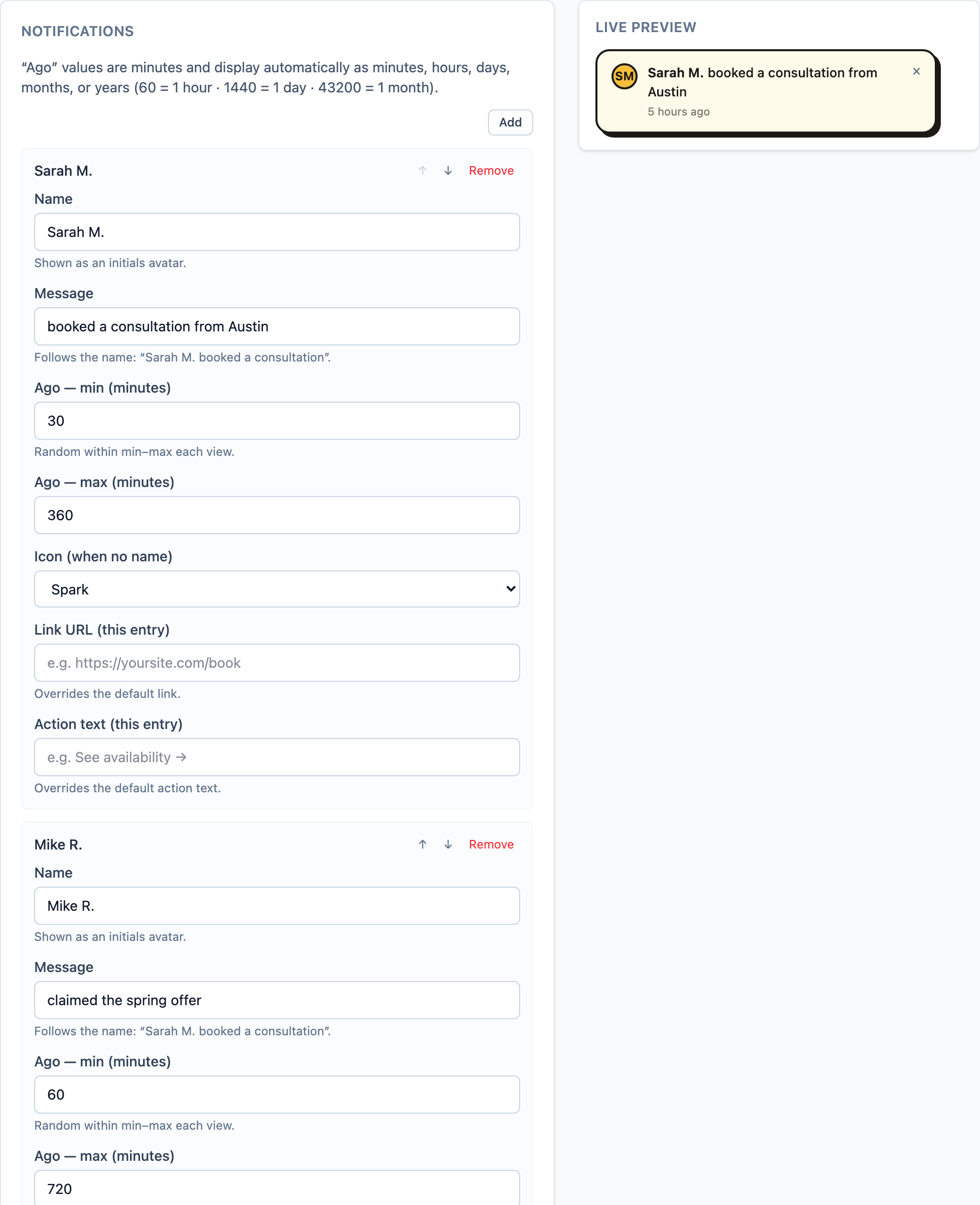
A compact toast that appears near your call to action and rotates through your entries.
Good to know
Social proof is a trust/display widget — it doesn’t capture leads itself. Its job is to raise the conversion rate of the thing next to it. Pair it with a calculator, quiz, or your opt-in form — the social proof reassures, the other widget captures.
When to use
- Beside a booking form or calculator to reduce hesitation.
- On checkout / offer pages to reinforce that others are buying.
- During a launch to make activity feel real and growing.
Tips
- Keep messages specific and believable — real-sounding names, places, and actions.
- Don’t overload the page; a steady trickle beats a flood.
[1] Spiegel Research Center, Northwestern University (with PowerReviews), 2017. [2] Trustpilot consumer survey, 2019.