
Your pricing
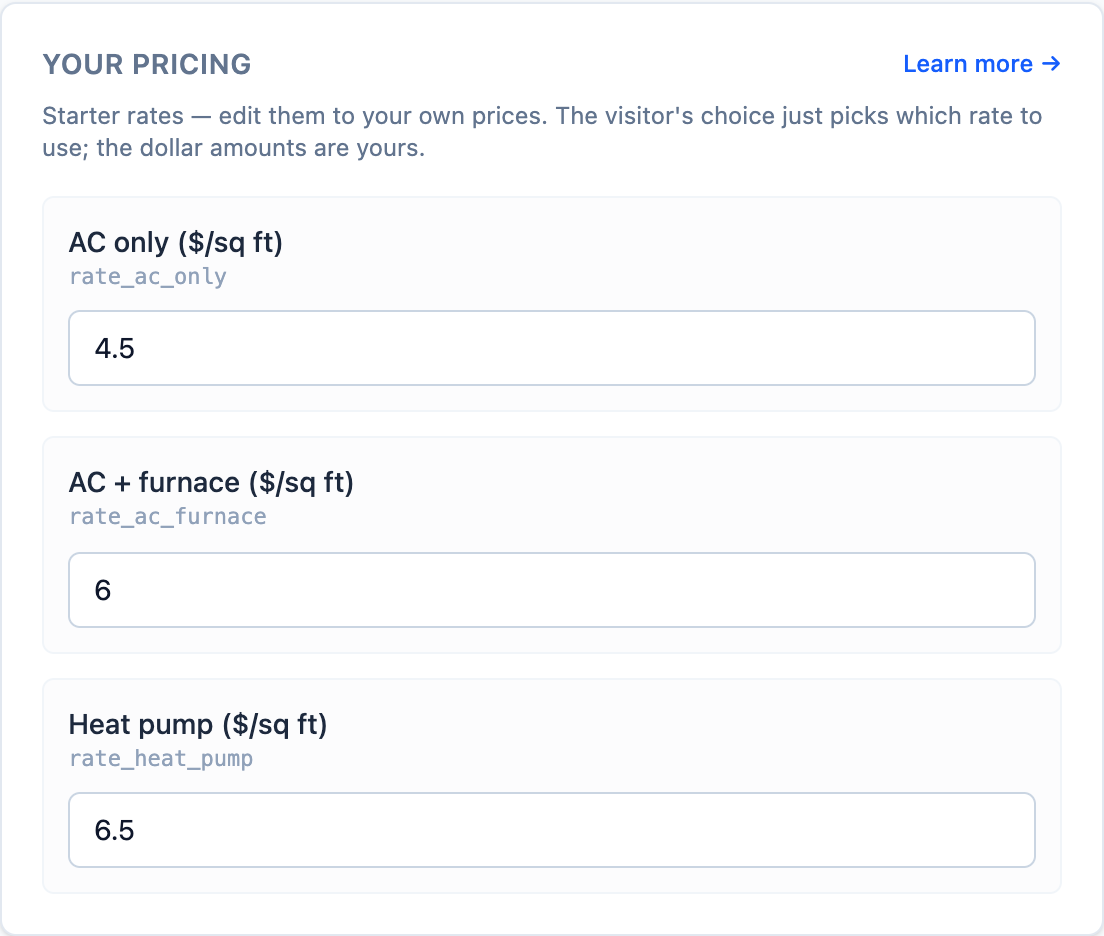
The calculator never uses prices you haven’t approved. It ships with starter rates so it works straight away, and you replace them with your own.
How the estimate is calculated
| Step | What happens |
|---|---|
| 1. Base price | Home size (sq ft) × your rate for the system type they picked |
| 2. Efficiency | Standard keeps the base price; High efficiency multiplies it by 1.3 |
| 3. Range | The result is the typical estimate; low is 15% below it and high is 15% above |
| 4. System size | Home size ÷ 600, shown in tons (a common rule of thumb) |
For example, a 2,000 sq ft home, AC + furnace at $6/sq ft, standard efficiency:
- Typical: 2,000 × $6 = $12,000
- Range: $10,200 – $13,800
- System size: 3.3 tons
Setting your rates
Each rate is your all-in installed price per square foot of home for that system type:
| Rate | Starter value |
|---|---|
| AC only | $4.50 / sq ft |
| AC + furnace | $6.00 / sq ft |
| Heat pump | $6.50 / sq ft |
To set your own, take a few recent standard-efficiency jobs of each type, divide the final price by the home’s square footage, and average them. Round up if you’d rather under-promise.
Don’t want to show a price?
Under Lead capture → When they finish, you can choose:
- Show the result: visitors see the estimate straight away; the button asks for their details for a full quote. This is the default.
- Require their email before showing the result: the estimate appears only after they submit the form.
- Don’t show a price: no estimate is shown at all. The visitor’s answers are captured and you follow up with a real quote.
Wording and disclaimer
Under Content settings you can change the headline and button, and edit the disclaimer shown under the results. The default reads: “Instant ballpark only — your final quote depends on ductwork, layout, and an in-home assessment.”