
Leads & automation
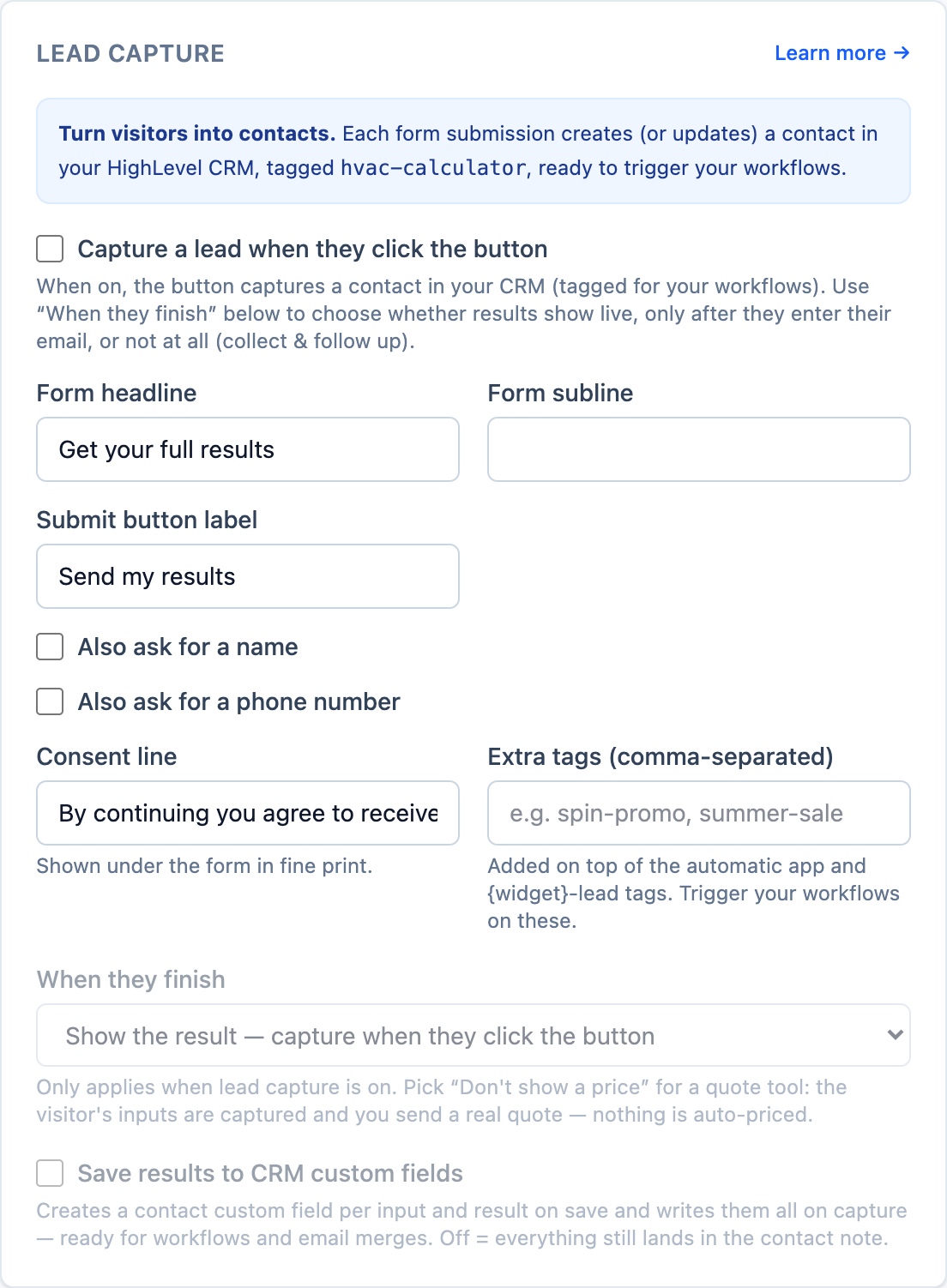
When a visitor asks for their full quote, the calculator creates (or updates) a contact in your CRM. Lead capture is on for every new calculator.
What’s captured
- Name, email and phone. Name and phone are on by default; you can switch either off.
- Tags: every lead is tagged
hvac-calculatorandcalculator-lead, pluscalculator-result(orcalculator-quote-requestwhen you don’t show a price), plus any extra tags you add under Extra tags. - A note on the contact with their estimate and their answers (home size, system type, efficiency).
- Custom fields: with Save results to CRM custom fields on (the default), the estimate and their answers are also saved to contact custom fields named like HVAC calculator · Typical estimate. They’re created for you the first time you save the calculator.
Following up automatically
Build a workflow that starts when a contact gets the hvac-calculator tag. For example:
- Send an instant text: “Thanks! Here’s your estimate, want us to book a free in-home visit?”
- Notify your sales team, or create an opportunity.
- Use the Typical estimate custom field to route big jobs to a senior estimator.
Agencies can build this workflow once and copy it into every HVAC client’s sub-account; the tag is the same everywhere.
Spam protection
Submissions are checked for bots (a hidden field and a minimum time on the form), so junk sign-ups never reach your CRM.